Classroom Noise Management with Interactive Tools
with BouncyBall.org
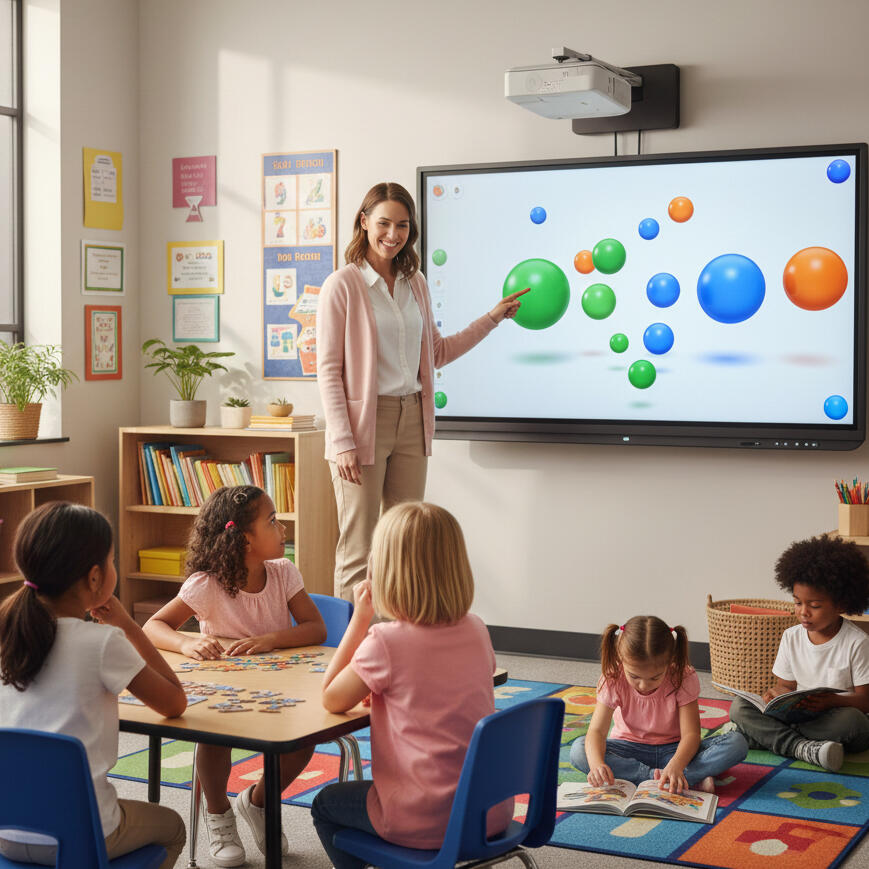
A quiet classroom is not silent, but focused. The challenge for every teacher is finding the balance—maintaining student energy while preventing noise from derailing learning. Traditional methods rely on constant verbal reminders, but there's a better, more engaging way: Interactive Visual Noise Meters.These simple, web-based tools transform classroom sound into a captivating visual display, such as bouncing balls or colorful animations. It's a game-changer that shifts the responsibility of noise control from the teacher to the students, creating a self-regulating, calm learning environment.
👂 How a Visual Noise Tool Works
A noise visualization tool is essentially a real-time, screen-projected sound meter.
The Sensor: It uses your computer's built-in microphone to measure the ambient sound level.
The Feedback: As the room gets louder (talking, shuffling, dropping objects), the visual on the screen reacts - balls bounce higher, colors flash, or shapes speed up.
The Self-Correction: When students see the animation getting out of control, they instinctively quiet down to "tame the visuals." When the room is calm, the motion slows or stops.
This process makes noise awareness interactive rather than disciplinary. Students see their collective volume represented instantly, without the teacher ever having to interrupt a lesson.💡 Technical Simplicity: These tools are typically web-based. Simply open the page, allow microphone access, project it onto your smartboard, and you're ready to go. No installations, no sign-ups, no accounts needed.
🎯 The Teacher's Advantage: Why Visual Cues Win
Teachers are turning to these tools because they solve the problem of constant intervention. Instead of using your voice, you let the screen do the talking.
| Benefit | Description |
|---|---|
| Instant Feedback | Students immediately see the consequence of their volume. |
| Saves Your Voice | Virtually eliminates the need to say, "Class, quiet down!" |
| Engaging & Fun | Turns self-regulation into a visual challenge or mini-game. |
| Promotes Ownership | Students take collective responsibility for maintaining the calm. |
| Visual Learner | SupportA non-verbal cue that works perfectly for all learning styles. |
🛠️ Quick Start Guide: Setting Up for Success
Getting started is easy and requires minimal technical knowledge.
1. The Setup
Device: Use any device with a microphone and internet (PC, Mac, Chromebook, Tablet).
Access: Open the program in a browser and click "allow" when it requests microphone access.
Project: Display the visual onto your classroom screen or smartboard so everyone can see it clearly.
2. Fine-Tuning the Sensitivity
The key to effectiveness is adjusting the microphone sensitivity:
Test: Speak in a normal classroom tone and watch the reaction.
Adjust High Sensitivity: Good for quiet activities (reading, testing) where even whispers should trigger a reaction.
Adjust Low Sensitivity: Best for group work or large classrooms where you only want the tool to react to genuinely loud noise.
3. Making It Routine
For maximum impact, integrate the tool into your daily flow:
Group Work: Challenge groups to keep the bouncing to a minimum while collaborating.
Quiet Time: Use it to reinforce focus during independent study or silent reading.
Transitions: Display it during movement (packing up, switching stations) to keep chatter under control.
The Reward System: Pair the visuals with a class goal. ("If we keep the visuals calm for the whole math period, we earn 5 minutes of extra free time.")
🌟 Beyond Noise Control: A Social-Emotional Tool
Ultimately, the visual noise meter is more than just a volume checker. It’s an essential tool for social-emotional learning (SEL). It helps students develop:
Self-Awareness: Connecting their behavior (volume) to an external consequence (visual movement).
Self-Regulation: Learning to manage and adjust their own volume.
Collective Responsibility: Working together as a class to maintain a shared, peaceful space.
By transforming a repeated command ("Be quiet!") into an observable, playful goal, you maintain order, reduce teacher stress, and empower students to be mindful of their learning environment.